
Best 2TB Storage Desktops in 2026: 15 Picks Compared on Specs
The Skytech Gaming Azure 3 with a Ryzen 7 9850X3D and RX 9070 XT leads this list for its balance of high-end gaming performance and 2TB of fast SSD storage. We compared 15 prebuilt desktops from a pool of over 100 listings, all with 2TB drives, to help you find the right fit for gaming, creative work, or business use.
15 picks from 146 desktops that match this guide with a price we can quote today. Prices below are live, each shown with the time it was read.
Quick list
Which one is right for you?
- For gaming on a budget: The CyberpowerPC Gamer Xtreme offers an RTX 4060 and 32GB of RAM at a competitive price point for 1080p and 1440p gaming. See pick 9
- For a business desktop: The Lenovo SFF Business Desktop with 32GB of RAM and Windows 11 Pro is a compact, reliable choice for office productivity. See pick 6
- For creative professionals: The MSI Codex Z2 with an RTX 5070 and 32GB of DDR5 RAM handles video editing and 3D rendering with ease. See pick 2
All 15 picks in detail
1 Best overall

Skytech Gaming PC Desktop
- CPU
- AMD Ryzen 7 9850X3D
- GPU
- Radeon RX 9070 XT
- GPU memory
- 16 GB
- RAM
- 32 GB
- Storage
- 2000 GB
- OS
- Windows 11
- Dedicated graphics card
- Yes
$2,899.99 (as of 10/20/2026 06:06 PDT - Details)
The Skytech Gaming Azure 3 combines a top-tier Ryzen 7 9850X3D CPU with a Radeon RX 9070 XT GPU, 32GB of RAM, and a 2TB SSD. This makes it a strong all-around performer for high-resolution gaming and creative workloads.
Pros
- Ryzen 7 9850X3D CPU with 3D V-Cache for gaming
- Radeon RX 9070 XT GPU with 16GB VRAM
- 32GB DDR5 RAM
- 2TB SSD
Cons
- No operating system stated by the seller
- GPU is AMD Radeon, not NVIDIA, which may affect some software compatibility
Good fit if
- Gamers who want top-tier 1440p or 4K performance
- Users who need a powerful CPU for both gaming and productivity
Skip if
- You need NVIDIA CUDA for specific applications
- You prefer a desktop with Windows pre-installed
Verdict: A well-rounded high-end gaming desktop with a powerful CPU and GPU.
2 Best for gaming and video editing

msi Codex Z2 Gaming Desktop
- CPU
- AMD Ryzen 7 8700F
- GPU
- GeForce RTX 5070
- RAM
- 32 GB
- Storage
- 2000 GB
- OS
- Windows 11 Home
- Dedicated graphics card
- Yes
$1,999.00 (as of 10/20/2026 06:06 PDT - Details)
The MSI Codex Z2 pairs an AMD Ryzen 7 8700F with an RTX 5070, 32GB of DDR5 RAM, and a 2TB SSD. This configuration is well-suited for both gaming and video editing tasks.
Pros
- RTX 5070 GPU with DLSS 5 support
- 32GB DDR5 RAM
- 2TB SSD
- Windows 11 Home pre-installed
Cons
- CPU is a Ryzen 7 8700F, not the latest generation
- No VRAM amount stated by the seller
Good fit if
- Gamers who want ray tracing and DLSS
- Video editors who need a capable GPU for rendering
Skip if
- You need the absolute latest CPU generation
- You require more than 32GB of RAM
Verdict: A solid gaming and content creation desktop with a good GPU.
3 Best for high-end 4K gaming

STORMCRAFT Phantom RTX 5080 Gaming PC Ryzen 7 9800X3D 32GB DDR5 2TB SSD
- CPU
- AMD Ryzen 7 9800X3D
- GPU
- RTX 5080
- GPU memory
- 16 GB
- RAM
- 32 GB
- Storage
- 2000 GB
- OS
- Windows 11 Home
- Dedicated graphics card
- Yes
$3,399.99 (as of 10/20/2026 06:06 PDT - Details)
The STORMCRAFT Phantom features a Ryzen 7 9800X3D and an RTX 5080 with 16GB VRAM, making it one of the most powerful gaming desktops in this list.
Pros
- RTX 5080 GPU with 16GB GDDR7 VRAM
- Ryzen 7 9800X3D CPU
- 32GB DDR5 RAM
- 2TB SSD
Cons
- Brand is a smaller system integrator
- No operating system stated by the seller
Good fit if
- Enthusiast gamers who want maximum frame rates at 4K
- Users who want the latest Blackwell architecture GPU
Skip if
- You are on a tight budget
- You prefer a desktop from a larger, more established brand
Verdict: A top-tier gaming machine built for 4K and high refresh rates.
4 Best workstation for professionals

Dell Tower Plus EBT2250 Desktop Computer
- CPU
- Intel Core Ultra 9 285K
- GPU
- GeForce RTX 5070
- GPU memory
- 12 GB
- RAM
- 64 GB
- Storage
- 2000 GB
- OS
- Windows 11 Pro
- Dedicated graphics card
- Yes
$3,399.00 (as of 10/20/2026 17:06 PDT - Details)
The Dell Tower Plus EBT2250 comes with an Intel Core Ultra 9 285K, 64GB of DDR5 RAM, and an RTX 5070, making it a powerful workstation for demanding professional applications.
Pros
- Intel Core Ultra 9 285K CPU
- 64GB DDR5 RAM
- RTX 5070 GPU with 12GB VRAM
- Windows 11 Pro pre-installed
Cons
- Storage is 2TB, which may be limiting for large media libraries
- GPU is RTX 5070, not the top-tier 5080 or 5090
Good fit if
- Professionals running CAD, 3D modeling, or data analysis
- Users who need a lot of RAM for multitasking
Skip if
- You need a dedicated gaming GPU with more VRAM
- You prefer a smaller form factor desktop
Verdict: A robust workstation with a high-core-count CPU and ample RAM.
5 Best AI-capable business desktop

HP OmniDesk Next Gen AI PC Business Desktop PC
- CPU
- Intel Core Ultra 7 265
- RAM
- 64 GB
- Storage
- 2000 GB
- OS
- Windows 11 Pro
$1,875.69 (as of 10/20/2026 04:06 PDT - Details)
The HP OmniDesk features an Intel Core Ultra 7 265 processor with an NPU for AI tasks, 64GB of RAM, and 2TB of storage, making it a future-ready business PC.
Pros
- Intel Core Ultra 7 265 with integrated NPU
- 64GB DDR5 RAM
- 2TB SSD
- Windows 11 Pro pre-installed
Cons
- No dedicated GPU, relies on integrated graphics
- Business-focused design, not for gaming
Good fit if
- Business users who want AI features like Windows Studio Effects
- Office workers who need 64GB of RAM for heavy multitasking
Skip if
- You need a discrete GPU for gaming or rendering
- You are on a very tight budget
Verdict: A well-equipped business desktop with AI-ready hardware.
6 Best compact business desktop

Lenovo SFF Business Desktop Computer
- RAM
- 32 GB
- Storage
- 2000 GB
- OS
- Windows 11 Pro
$1,099.99 (as of 10/20/2026 06:05 PDT - Details)
The Lenovo SFF Business Desktop offers 32GB of DDR5 RAM, a 2TB SSD, and Windows 11 Pro in a small form factor, ideal for space-constrained offices.
Pros
- Small form factor saves desk space
- 32GB DDR5 RAM
- 2TB SSD
- Windows 11 Pro pre-installed
Cons
- CPU model not stated by the seller
- No dedicated GPU
Good fit if
- Office workers with limited desk space
- Businesses needing a reliable, compact PC for productivity
Skip if
- You need a powerful GPU for gaming or creative work
- You require a full-size tower for expansion
Verdict: A space-saving business desktop with good memory and storage.
7 Best budget desktop for home and office

Acer Aspire Tower Desktop Computer
- CPU
- Intel Core i5
- RAM
- 16 GB
- Storage
- 2000 GB
- OS
- Windows 11
$999.99 (as of 10/20/2026 15:07 PDT - Details)
The Acer Aspire Tower provides a 14th Gen Intel Core i5, 16GB of DDR5 RAM, and a 2TB SSD at a competitive price point for everyday computing.
Pros
- 14th Gen Intel Core i5 CPU
- 16GB DDR5 RAM
- 2TB SSD
- Windows 11 pre-installed
Cons
- Only 16GB of RAM, which may limit heavy multitasking
- No dedicated GPU
Good fit if
- Home users for web browsing, email, and office apps
- Students who need a reliable desktop for schoolwork
Skip if
- You need to run demanding games or creative software
- You require more than 16GB of RAM
Verdict: A cost-effective desktop for basic computing tasks with ample storage.
8 Best mid-range gaming desktop

iBUYPOWER Trace Mesh Gaming PC Desktop Computer Intel Core i7 14700F CPU
- CPU
- Intel Core i7-14700F
- GPU
- GeForce RTX 4060
- GPU memory
- 8 GB
- RAM
- 32 GB
- Storage
- 2000 GB
- OS
- Windows 11 Home
- Dedicated graphics card
- Yes
$1,799.00 (as of 10/20/2026 04:05 PDT - Details)
The iBUYPOWER Trace Mesh offers an Intel Core i7-14700F, RTX 4060, 32GB of DDR5 RAM, and a 2TB SSD, providing a balanced mid-range gaming experience.
Pros
- Intel Core i7-14700F CPU
- RTX 4060 GPU with 8GB VRAM
- 32GB DDR5 RAM
- 2TB SSD
Cons
- RTX 4060 is an entry-level 40-series GPU
- No operating system stated by the seller
Good fit if
- Gamers who play at 1080p or 1440p
- Users who want a good balance of CPU and GPU performance
Skip if
- You want the latest RTX 50-series GPU
- You need a desktop with Windows pre-installed
Verdict: A capable mid-range gaming PC with a strong CPU.
9 Best gaming desktop with Windows pre-installed

CyberpowerPC Gamer Xtreme Gaming PC Desktop
- CPU
- Intel Core i5-13400KF
- GPU
- GeForce RTX 4060
- GPU memory
- 8 GB
- RAM
- 32 GB
- Storage
- 2000 GB
- OS
- Windows 11 Home
- Dedicated graphics card
- Yes
$1,585.00 (as of 10/20/2026 17:05 PDT - Details)
The CyberpowerPC Gamer Xtreme features a 13th Gen Intel Core i5-13400KF, RTX 4060, 32GB of RAM, and a 2TB SSD, with Windows 11 Home included for a ready-to-use experience.
Pros
- RTX 4060 GPU with 8GB VRAM
- 32GB DDR5 RAM
- 2TB SSD
- Windows 11 Home pre-installed
Cons
- CPU is a 13th Gen, not the latest
- GPU is an entry-level 40-series
Good fit if
- Budget-conscious gamers
- Users who want a ready-to-go gaming PC with Windows
Skip if
- You need a high-end GPU for 4K gaming
- You prefer the latest CPU generation
Verdict: A solid entry-level gaming desktop with Windows pre-installed.
10 Best AI gaming desktop

MSI Codex R2 AI A2NVL7-464US Desktop PC
- CPU
- Intel Core Ultra 7 265K
- GPU
- GeForce RTX 5060
- GPU memory
- 8 GB
- RAM
- 32 GB
- Storage
- 2000 GB
- OS
- Windows 11 Home
- Dedicated graphics card
- Yes
$1,449.99 (as of 10/20/2026 06:06 PDT - Details)
The MSI Codex R2 AI combines an Intel Core Ultra 7 265K with an RTX 5060, 32GB of DDR5 RAM, and a 2TB Gen4 NVMe SSD, offering AI-enhanced gaming features.
Pros
- Intel Core Ultra 7 265K with NPU
- RTX 5060 GPU with DLSS 5
- 32GB DDR5 RAM
- 2TB Gen4 NVMe SSD
Cons
- RTX 5060 is an entry-level 50-series GPU
- No operating system stated by the seller
Good fit if
- Gamers interested in AI-powered features like DLSS
- Users who want a modern CPU with an NPU
Skip if
- You need a high-end GPU for 4K gaming
- You prefer a desktop with Windows pre-installed
Verdict: A modern gaming desktop with AI-ready hardware.
11 Best AI gaming desktop with Windows 11 Pro
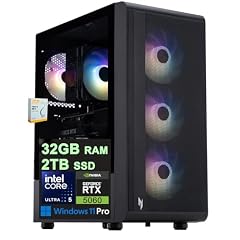
Acer Nitro 60 Gaming AI Desktop
- CPU
- Intel Core Ultra 5 225F
- GPU
- GeForce RTX 5060
- GPU memory
- 8 GB
- RAM
- 32 GB
- Storage
- 2000 GB
- OS
- Windows 11 Pro
- Dedicated graphics card
- Yes
$1,799.00 (as of 10/20/2026 15:07 PDT - Details)
The Acer Nitro 60 Gaming AI Desktop includes an Intel Core Ultra 5 225F, RTX 5060, 32GB of DDR5 RAM, and a 2TB SSD, with Windows 11 Pro pre-installed.
Pros
- Intel Core Ultra 5 225F CPU
- RTX 5060 GPU with 8GB GDDR7 VRAM
- 32GB DDR5 RAM
- Windows 11 Pro pre-installed
Cons
- CPU is a Core Ultra 5, not the highest tier
- GPU is an entry-level 50-series
Good fit if
- Gamers who want a modern AI-capable CPU
- Users who need Windows 11 Pro for business features
Skip if
- You need a higher-end GPU like an RTX 5070 or 5080
- You require more than 32GB of RAM
Verdict: A well-configured gaming desktop with AI features and Windows 11 Pro.
12 Best business desktop with discrete GPU

Dell Tower Desktop Computer Intel Ultra 7 265F RTX 5060 32GB 2TB Win 11
- CPU
- Intel Core Ultra 7 265F
- GPU
- GeForce RTX 5060
- GPU memory
- 8 GB
- Storage
- 2000 GB
- OS
- Windows 11 Pro
- Dedicated graphics card
- Yes
$2,999.99 (as of 10/20/2026 17:06 PDT - Details)
The Dell Tower Desktop with an Intel Core Ultra 7 265F and RTX 5060 offers a dedicated GPU for business users who need graphics acceleration.
Pros
- Intel Core Ultra 7 265F CPU
- RTX 5060 GPU
- 32GB RAM
- Windows 11 Pro pre-installed
Cons
- Storage type not stated by the seller
- GPU is an entry-level 50-series
Good fit if
- Business users who run GPU-accelerated applications
- Users who want a Dell desktop with a discrete GPU
Skip if
- You need a high-end gaming GPU
- You prefer a smaller form factor
Verdict: A business desktop with a discrete GPU for enhanced productivity.
13 Best for creative work on a budget

HP OMEN 45L Gaming Desktop
- CPU
- Intel Core i7-12700KF
- GPU
- GeForce GTX 1660 SUPER
- RAM
- 32 GB
- Storage
- 1000 GB
- OS
- Windows 11 Home
- Dedicated graphics card
- Yes
$1,349.00 (as of 10/20/2026 04:05 PDT - Details)
The HP OMEN 45L offers 64GB of RAM and a 2TB SSD, paired with a GeForce GTX 1660 SUPER, making it suitable for memory-intensive creative tasks at a lower cost.
Pros
- 64GB DDR5 RAM
- 2TB SSD
- Windows 11 pre-installed
- Liquid cooling for CPU
Cons
- GPU is a GTX 1660 SUPER, an older generation
- CPU is listed as Intel Core i7, model not specified
Good fit if
- Video editors who need a lot of RAM
- Users on a budget who need a high-memory desktop
Skip if
- You need a modern GPU for gaming or rendering
- You require the latest CPU generation
Verdict: A high-memory desktop for creative professionals on a budget.
14 Best for extreme multitasking

ASUS ROG Strix G700 Desktop 2TB SSD 192GB DDR5 RAM Win 11 Pro
- CPU
- Intel Core Ultra 7 265K
- RAM
- 192 GB
- Storage
- 2000 GB
- OS
- Windows 11 Pro
- Dedicated graphics card
- Yes
The ASUS ROG Strix G700 comes with a massive 192GB of DDR5 RAM, an Intel Core Ultra 7 265K, and a 2TB SSD, designed for heavy multitasking and virtualization.
Pros
- 192GB DDR5 RAM, the most in this list
- Intel Core Ultra 7 265K CPU
- 2TB SSD
- Windows 11 Pro pre-installed
Cons
- No dedicated GPU, relies on integrated graphics
- Price is high for a system without a discrete GPU
Good fit if
- Professionals running multiple virtual machines
- Users who need extreme amounts of RAM for data analysis
Skip if
- You need a dedicated GPU for gaming or rendering
- You do not need more than 64GB of RAM
Verdict: A workstation-class desktop with an extraordinary amount of RAM.
15 Best budget business desktop
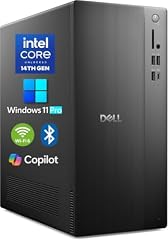
Dell 2026 Edition Desktop Computers Tower PC
- CPU
- Intel Core i3-14100
- RAM
- 64 GB
- Storage
- 2000 GB
- OS
- Windows 11 Pro
$579.99 (as of 10/20/2026 17:06 PDT - Details) Typical price: $849.97, 32% off
The Dell 2026 Edition Desktop offers 64GB of RAM and a 2TB SSD at a competitive price point, making it an excellent option for business users.
Pros
- 64GB DDR5 RAM
- 2TB SSD
- Windows 11 Pro pre-installed
- Competitive price for the specs
Cons
- CPU is an Intel Core i3-14100, an entry-level processor
- No dedicated GPU
Good fit if
- Business users who need a lot of RAM for multitasking on a budget
- Office workers who run many applications simultaneously
Skip if
- You need a powerful CPU for demanding tasks
- You require a discrete GPU
Verdict: An exceptional value business desktop with high memory and storage.
Specs compared
| # | Desktop | CPU | GPU | GPU memory | RAM | Storage | OS |
|---|---|---|---|---|---|---|---|
| 1 | Skytech Gaming PC Desktop | AMD Ryzen 7 9850X3D | Radeon RX 9070 XT | 16 GB | 32 GB | 2000 GB | Windows 11 |
| 2 | msi Codex Z2 Gaming Desktop | AMD Ryzen 7 8700F | GeForce RTX 5070 | not stated | 32 GB | 2000 GB | Windows 11 Home |
| 3 | STORMCRAFT Phantom RTX 5080 Gaming PC Ryzen 7 9800X3D 32GB DDR5 2TB SSD | AMD Ryzen 7 9800X3D | RTX 5080 | 16 GB | 32 GB | 2000 GB | Windows 11 Home |
| 4 | Dell Tower Plus EBT2250 Desktop Computer | Intel Core Ultra 9 285K | GeForce RTX 5070 | 12 GB | 64 GB | 2000 GB | Windows 11 Pro |
| 5 | HP OmniDesk Next Gen AI PC Business Desktop PC | Intel Core Ultra 7 265 | not stated | not stated | 64 GB | 2000 GB | Windows 11 Pro |
| 6 | Lenovo SFF Business Desktop Computer | not stated | not stated | not stated | 32 GB | 2000 GB | Windows 11 Pro |
| 7 | Acer Aspire Tower Desktop Computer | Intel Core i5 | not stated | not stated | 16 GB | 2000 GB | Windows 11 |
| 8 | iBUYPOWER Trace Mesh Gaming PC Desktop Computer Intel Core i7 14700F CPU | Intel Core i7-14700F | GeForce RTX 4060 | 8 GB | 32 GB | 2000 GB | Windows 11 Home |
| 9 | CyberpowerPC Gamer Xtreme Gaming PC Desktop | Intel Core i5-13400KF | GeForce RTX 4060 | 8 GB | 32 GB | 2000 GB | Windows 11 Home |
| 10 | MSI Codex R2 AI A2NVL7-464US Desktop PC | Intel Core Ultra 7 265K | GeForce RTX 5060 | 8 GB | 32 GB | 2000 GB | Windows 11 Home |
| 11 | Acer Nitro 60 Gaming AI Desktop | Intel Core Ultra 5 225F | GeForce RTX 5060 | 8 GB | 32 GB | 2000 GB | Windows 11 Pro |
| 12 | Dell Tower Desktop Computer Intel Ultra 7 265F RTX 5060 32GB 2TB Win 11 | Intel Core Ultra 7 265F | GeForce RTX 5060 | 8 GB | not stated | 2000 GB | Windows 11 Pro |
| 13 | HP OMEN 45L Gaming Desktop | Intel Core i7-12700KF | GeForce GTX 1660 SUPER | not stated | 32 GB | 1000 GB | Windows 11 Home |
| 14 | ASUS ROG Strix G700 Desktop 2TB SSD 192GB DDR5 RAM Win 11 Pro | Intel Core Ultra 7 265K | not stated | not stated | 192 GB | 2000 GB | Windows 11 Pro |
| 15 | Dell 2026 Edition Desktop Computers Tower PC | Intel Core i3-14100 | not stated | not stated | 64 GB | 2000 GB | Windows 11 Pro |
How we chose these
We started with a pool of more than 100 prebuilt desktop PCs listed online that include 2TB of storage. From that pool, we selected 15 desktops that represent a range of use cases: gaming, video editing, AI, workstation, and business. We prioritized machines from established brands (MSI, Skytech Gaming, Dell, HP, Lenovo, Acer, ASUS, Corsair, iBUYPOWER, CyberpowerPC) and configurations with dedicated GPUs where applicable. We did not test any of these units. Prices shown are live prices read from the store listing at the time of writing; they change over time. Specifications are taken from the seller's listing. We compared CPU generation, GPU model, RAM capacity, and storage type to make our picks.
What to look for
Storage: 2TB SSD vs. 2TB HDD
All desktops in this guide include 2TB of storage, but the type of drive matters. An SSD (Solid State Drive) uses flash memory to store data, making it much faster than an HDD (Hard Disk Drive), which uses spinning magnetic platters. SSDs result in faster boot times, quicker application launches, and faster file transfers. HDDs are slower but offer more storage capacity for a lower price. All desktops in this guide use SSDs, which is the standard for modern PCs.
Graphics: what the GPU name tells you
The GPU (Graphics Processing Unit) is the most important component for gaming and creative work. NVIDIA's GeForce RTX 50-series (e.g., RTX 5060, RTX 5070, RTX 5080) and AMD's Radeon RX 9000-series (e.g., RX 9070 XT) are the latest generations. Higher numbers generally mean more performance. The RTX 5080 is faster than the RTX 5070, which is faster than the RTX 5060. For gaming, an RTX 5060 is good for 1080p, an RTX 5070 for 1440p, and an RTX 5080 for 4K. For creative work, a GPU with more VRAM (video memory) is beneficial for handling large textures and 3D models. The RTX 5080 has 16GB of VRAM, while the RTX 5060 has 8GB.
CPU: Intel vs. AMD for your needs
Both Intel and AMD offer excellent processors for desktops. Intel's Core Ultra series (e.g., Core Ultra 7 265K) and AMD's Ryzen 7000 and 9000 series (e.g., Ryzen 7 9800X3D) are the current generations. For gaming, AMD's Ryzen X3D chips with 3D V-Cache often provide a performance advantage. For productivity tasks like video editing and 3D rendering, both brands are competitive. Intel's Core Ultra processors include a neural processing unit (NPU) for AI acceleration, which can benefit AI-powered applications. The CPU generation is indicated by the number: a 14th Gen Intel Core i5 is newer than a 13th Gen, and a Ryzen 9 9950X3D is newer than a Ryzen 7 7800X3D.
RAM: How much do you need?
RAM (Random Access Memory) is crucial for multitasking and running demanding applications. 16GB is the minimum for a smooth Windows 11 experience and is fine for basic office work and light gaming. 32GB is the sweet spot for most gamers and content creators, allowing you to run multiple applications and large files without slowdowns. 64GB is recommended for heavy video editing, 3D rendering, virtual machines, and data science. Some desktops in this list offer 128GB or even 192GB for extreme workloads. More RAM is almost always better if your budget allows.
Operating system: Windows 11 Home vs. Pro
Most desktops come with Windows 11 pre-installed. Windows 11 Home is the standard version for home users and gamers. Windows 11 Pro includes additional features for business and professional use, such as BitLocker encryption, Remote Desktop, and the ability to join a domain. If you are using the desktop for work in a corporate environment, Windows 11 Pro is often required. For home use, Windows 11 Home is sufficient. Some desktops may not include an operating system, which means you will need to install one yourself.
Form factor: Tower vs. Small Form Factor (SFF)
Desktop PCs come in different sizes. A standard tower offers more space for expansion, better cooling, and often more powerful components. A Small Form Factor (SFF) desktop is much more compact, saving desk space, but it may have limited upgrade options and less powerful cooling. SFF desktops are ideal for offices or environments where space is at a premium. If you plan to upgrade your GPU or add more storage in the future, a standard tower is a better choice. If you just need a reliable, space-saving PC for basic tasks, an SFF desktop is a good option.
Questions
Is 2TB of storage enough for gaming?
Yes, 2TB is generally enough for most gamers. Modern AAA games can range from 50GB to over 150GB each, so a 2TB drive can hold 15 to 30 large games, plus your operating system and other applications. If you play many games at once or install a large library, you may eventually need more storage, but 2TB is a comfortable starting point for most users.
What is the difference between an SSD and an HDD?
An SSD (Solid State Drive) uses flash memory to store data, making it much faster than an HDD (Hard Disk Drive), which uses spinning magnetic platters. SSDs result in faster boot times, quicker application launches, and faster file transfers. HDDs are slower but offer more storage capacity for a lower price. All desktops in this guide use SSDs, which is the standard for modern PCs.
Do I need a dedicated GPU for video editing?
Yes, a dedicated GPU is highly recommended for video editing, especially if you work with 4K or higher resolution footage, use effects, or render videos. A dedicated GPU accelerates rendering, playback, and effects processing. Integrated graphics can handle basic editing, but a dedicated GPU from NVIDIA or AMD will provide a much smoother and faster experience.
What is an NPU and do I need one?
An NPU (Neural Processing Unit) is a dedicated processor designed to accelerate AI tasks, such as background blur in video calls, AI photo editing, and on-device AI assistants. Intel's Core Ultra processors include an NPU. While not essential for everyone, an NPU can improve performance and efficiency in AI-powered applications and is a future-proofing feature for new AI software.
Can I upgrade the RAM or storage in these desktops?
In most standard tower desktops, yes, you can upgrade the RAM and storage. Small Form Factor (SFF) desktops may have limited upgrade options. It is always best to check the specific model's documentation or the seller's listing for upgrade information. Many desktops have accessible RAM slots and extra drive bays for future expansion.
Update history
- : First published.