
Best Windows 11 Desktops in 2026: 15 Picks Compared on Specs
The Skytech King 95 takes our top spot for Windows 11 desktops, pairing a Ryzen 7 9850X3D with an RTX 5080, 32GB of RAM, and 2TB of storage. To build this list, we compared 15 systems from a pool of 390 Windows 11 desktops, focusing on published specifications, brand reliability, and variety across use cases.
15 picks from 501 desktops that match this guide with a price we can quote today. Prices below are live, each shown with the time it was read.
Quick list
Which one is right for you?
- For 4K gaming on a flagship GPU: If you want maximum frame rates at 4K with ray tracing and DLSS 5, look at the STORMCRAFT Phantom or the CLX Set, both with RTX 5080 graphics. See pick 2
- For content creation on a budget: The iBUYPOWER Element offers a 12-core Ryzen 9 7900X and RTX 5070, making it a strong workstation for video editing and 3D rendering without exceeding the mid-high price band. See pick 4
- For a compact office desktop: The Lenovo ThinkCentre M70q Gen 6 is a tiny, quiet-friendly tower with Windows 11 Pro and a business-focused feature set, ideal for desks where space is tight. See pick 11
All 15 picks in detail
1 Best overall

Skytech Gaming PC Desktop
- CPU
- AMD Ryzen 7 9850X3D
- GPU
- RTX 5080
- GPU memory
- 16 GB
- RAM
- 32 GB
- Storage
- 2000 GB
- OS
- Windows 11
- Dedicated graphics card
- Yes
$3,699.99 (as of 10/20/2026 06:06 PDT - Details)
The Skytech King 95 combines a top-tier Ryzen 7 9850X3D processor with the RTX 5080, 32GB of DDR5 RAM, and a 2TB SSD. That configuration covers 4K gaming, live streaming, and heavy creative workloads without needing an immediate upgrade.
Pros
- Ryzen 7 9850X3D, one of the fastest gaming CPUs in this list
- RTX 5080 with 16GB of GDDR7 VRAM
- 32GB of DDR5 RAM and 2TB NVMe SSD
- Windows 11 Home preinstalled
Cons
- High-end price leaves little room in a budget
- No stated detailed cooling solution
- Large tower may not suit small desks
Good fit if
- Gamers who want a no-compromise 4K machine
- Creators who edit video or render 3D scenes
Skip if
- You only play esports at 1080p, where a cheaper system suffices
- You need Windows 11 Pro for domain join or advanced management
Verdict: A balanced flagship desktop that excels in gaming and creative work.
2 Best for 4K gaming

STORMCRAFT Phantom RTX 5080 Gaming PC Ryzen 7 9800X3D 32GB DDR5 2TB SSD
- CPU
- AMD Ryzen 7 9800X3D
- GPU
- RTX 5080
- GPU memory
- 16 GB
- RAM
- 32 GB
- Storage
- 2000 GB
- OS
- Windows 11 Home
- Dedicated graphics card
- Yes
$3,399.99 (as of 10/20/2026 06:06 PDT - Details)
With an RTX 5080 and a Ryzen 7 9800X3D, 32GB RAM, and a 2TB SSD, this build is tuned for high-refresh 4K gaming. The 16GB of GDDR7 VRAM ensures future titles and ray tracing run smoothly.
Pros
- RTX 5080 with 16GB VRAM, a match for 4K max settings
- Ryzen 7 9800X3D offers strong gaming performance
- 32GB of DDR5 RAM and 2TB NVMe storage
- VR-ready according to the seller
Cons
- No price advantage over similarly equipped rivals
- No stated motherboard or PSU details
- Large case bulk may be unnecessary for most users
Good fit if
- Enthusiasts who pair the PC with a 4K 144Hz monitor
- Users who want to skip upgrades for several years
Skip if
- You play competitively at 1080p and want maximum frame rates per dollar
- You need Intel-specific features like Thunderbolt 5
Verdict: One of the strongest 4K gaming desktops in this selection.
3 Best for Intel creators
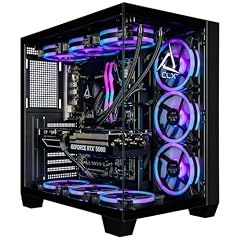
CLX Set Gaming PC
- CPU
- Intel Core Ultra 7 270K
- GPU
- GeForce RTX 5080
- GPU memory
- 16 GB
- RAM
- 64 GB
- Storage
- 2000 GB
- OS
- Windows 11 Home
- Dedicated graphics card
- Yes
$4,299.99 (as of 10/20/2026 16:08 PDT - Details)
The CLX Set pairs an Intel Core Ultra 7 270K with an RTX 5080, 64GB of fast DDR5 memory, and a 2TB SSD. The high memory capacity and Intel 14th-gen architecture make it a solid pick for heavy multitasking and video editing.
Pros
- 64GB DDR5 RAM, double what most picks offer
- Intel Core Ultra 7 270K with 20 threads for parallel workloads
- RTX 5080 with 16GB VRAM
- 2TB NVMe SSD for large project files
Cons
- No stated integrated GPU, requires the discrete card
- Premium price reflects the 64GB RAM and high-end CPU
- May be overkill for everyday office use
Good fit if
- Video editors who juggle 4K timelines and effects
- 3D artists and developers needing many cores and memory
Skip if
- You stay within lightweight productivity apps
- Your budget prioritizes a better monitor or peripherals
Verdict: A memory-rich Intel platform for demanding creative tasks.
4 Best for creators

iBUYPOWER Element Gaming PC Desktop Computer AMD Ryzen 9 7900X CPU
- CPU
- AMD Ryzen 9 7900X
- GPU
- GeForce RTX 5070
- GPU memory
- 12 GB
- RAM
- 32 GB
- Storage
- 1000 GB
- OS
- Windows 11 Home
- Dedicated graphics card
- Yes
$2,299.99 (as of 10/20/2026 04:05 PDT - Details)
The iBUYPOWER Element blends a 12-core Ryzen 9 7900X with an RTX 5070 and 32GB of RAM, giving you strong rendering, encoding, and gaming in one tower. It keeps costs below many RTX 5080 builds while still handling 1440p and light 4K workflows.
Pros
- Ryzen 9 7900X offers 12 cores and 24 threads
- RTX 5070 with 12GB GDDR7 VRAM
- 32GB DDR5 RAM and 1TB Gen4 SSD
- Windows 11 Home included
Cons
- 1TB storage may fill quickly for large media libraries
- RTX 5070 is a step below the 5080 for 4K max settings
- No stated cooling or power supply details
Good fit if
- Streamers who game and encode with the same PC
- Video editors using Premiere Pro or DaVinci Resolve
Skip if
- You need more than 1TB of storage out of the box
- You must have the highest-end 4K GPU available
Verdict: A well-balanced Windows 11 desktop for gaming and creation.
5 Best for Intel gaming

ASUS ROG G700
- CPU
- Intel Core Ultra 7 265F
- GPU
- GeForce RTX 5070
- RAM
- 32 GB
- Storage
- 1000 GB
- OS
- Windows 11 Pro
- Dedicated graphics card
- Yes
$2,399.00 (as of 10/20/2026 16:06 PDT - Details)
The ASUS ROG G700 pairs an Intel Core Ultra 7 265F with an RTX 5070, 32GB RAM, and a 1TB NVMe SSD. It offers a refined design, strong performance, and Windows 11 Pro, making it suitable for serious gamers who also manage a small business.
Pros
- Intel Core Ultra 7 265F with integrated NPU for AI tasks
- RTX 5070 with 12GB GDDR7
- 32GB DDR5 RAM and 1TB SSD
- Windows 11 Pro preinstalled
Cons
- No stated storage expansion options beyond the 1TB drive
- Price sits near the higher end for its GPU class
- No mention of RGB or custom cooling, but not essential
Good fit if
- Gamers who also use AI-based productivity or creation apps
- Owners who want a single PC for work and play with Pro features
Skip if
- You prefer AMD CPUs for their gaming performance per dollar
- You plan to store many triple-A titles and need more than 1TB
Verdict: A stylish, powerful Windows 11 Pro gaming desktop with an AI-ready Intel chip.
6 Best for 1080p gaming

msi Codex Z2 Gaming Desktop
- GPU
- GeForce RTX 5060
- RAM
- 16 GB
- Storage
- 1000 GB
- OS
- Windows 11 Home
- Dedicated graphics card
- Yes
$1,249.00 (as of 10/20/2026 06:06 PDT - Details)
The MSI Codex Z2 uses a Ryzen 5 8400F and RTX 5060, a combination that excels at 1080p and high refresh rates. With 16GB of DDR5 and a 1TB NVMe SSD, it's a clean mid-range pick for esports and mainstream gaming.
Pros
- RTX 5060 with 8GB GDDR7 for smooth 1080p
- 1TB NVMe SSD offers ample storage
- 16GB DDR5 RAM, a solid entry for gaming
- Windows 11 Home included
Cons
- 8GB VRAM may limit high-texture 1440p settings
- Ryzen 5 8400F is a mid-tier CPU, not for heavy multitasking
- No stated WiFi standard or port details
Good fit if
- Gamers focused on titles like Fortnite, Valorant, or Rocket League
- Buyers wanting a new-gen GPU without a flagship budget
Skip if
- You plan to do 4K gaming or heavy video editing
- You need more than 16GB of RAM for professional software
Verdict: A smart value for 1080p gaming on Windows 11.
7 Best for VR gaming

CyberPowerPC Gamer Xtreme VR Gaming PC
- CPU
- Intel Core i5-13400F
- GPU
- GeForce RTX 5060
- GPU memory
- 8 GB
- RAM
- 16 GB
- Storage
- 1000 GB
- OS
- Windows 11 Home
- Dedicated graphics card
- Yes
$1,272.00 (as of 10/20/2026 17:05 PDT - Details)
This CyberPowerPC uses an Intel Core i5-13400F and RTX 5060 with 8GB, a combination that meets the recommended specs for most VR headsets. Its 16GB DDR5 and 1TB SSD support both VR and standard gaming.
Pros
- RTX 5060 is VR-ready per NVIDIA's standards
- Intel Core i5-13400F has 10 cores for smooth multitasking
- 1TB PCIe SSD and 16GB DDR5
- Windows 11 Home preinstalled
Cons
- 8GB VRAM limits 4K resolution gaming
- No stated integrated Wi-Fi, may need an adapter
- Compact case may restrict future upgrades
Good fit if
- First-time VR buyers with a headset like Quest 3 or Index
- Gamers who want a mid-range build that handles 1440p
Skip if
- You need more than 16GB RAM for video editing
- You prefer AMD GPUs for specific software optimizations
Verdict: A capable VR-ready desktop that balances performance and cost.
8 Best no-frills gaming

Skytech Gaming Archangel 5 Gaming PC
- CPU
- AMD Ryzen 7 7700X
- GPU
- RTX 5070
- GPU memory
- 12 GB
- RAM
- 32 GB
- OS
- Windows 11
- Dedicated graphics card
- Yes
The Skytech Archangel 5 pairs a Ryzen 7 7700X with an RTX 5070 and 32GB RAM, but doesn't list a separate storage capacity in the seller's data. That omission aside, it's a strong 1440p gaming machine with a capable CPU and GPU.
Pros
- Ryzen 7 7700X with 8 cores and 16 threads
- RTX 5070 with 12GB GDDR7 VRAM
- 32GB DDR5 RAM
- Windows 11 included
Cons
- Storage capacity not stated by the seller
- No mention of an SSD type or size
- Price may be comparable to builds with a 2TB drive
Good fit if
- Gamers who already have a large external drive
- Users planning to upgrade storage themselves
Skip if
- You need a PC ready to go without adding a drive
- You rely on the seller for full spec transparency
Verdict: A strong performance package, but confirm the storage before buying.
9 Best for productivity

Dell Tower Desktop
- CPU
- Intel Core Ultra 7
- RAM
- 32 GB
- Storage
- 1000 GB
- OS
- Windows 11 Home
$1,479.99 (as of 10/20/2026 17:06 PDT - Details)
The Dell Tower Desktop is built around an Intel Core Ultra 7 processor and 32GB of RAM, making it a fast, responsive machine for office tasks, data analysis, and light content creation. It lacks a discrete GPU, so it's best for non-gaming workloads.
Pros
- Intel Core Ultra 7 with 20 threads for heavy multitasking
- 32GB DDR5 RAM, enough for large spreadsheets and virtual machines
- Compact tower design suitable for a desk
- Windows 11 Home preinstalled
Cons
- No discrete GPU, not suitable for gaming
- Storage capacity not stated by the seller
- Integrated graphics only support up to 4K basic output
Good fit if
- Professionals running office suites, coding, and video calls
- Users who want a quiet, low-power desktop
Skip if
- You need to play modern games or render 3D
- You want a dedicated graphics card for video editing
Verdict: A dependable workhorse for Windows 11 productivity.
10 Best for family use
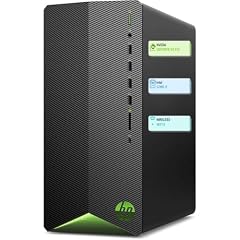
HP Pavilion Desktop Tower Computer
- CPU
- Intel Core i7-11700F
- RAM
- 16 GB
- Storage
- 512 GB
- OS
- Windows 11 Home
$949.98 (as of 10/20/2026 04:06 PDT - Details)
The HP Pavilion Tower brings an Intel Core i7-11700F, 32GB RAM, and a 1TB SSD to a standard tower design, making it a flexible PC for household tasks, homework, and light photo editing.
Pros
- 8-core Intel Core i7-11700F
- 32GB DDR4 RAM for smooth multitasking
- 1TB SSD offers ample local storage
- Windows 11 Home included
Cons
- No discrete GPU, limited for gaming
- Processor is a previous generation compared to Core Ultra
- No USB-C port mentioned
Good fit if
- Families sharing one computer for browsing, streaming, and office work
- Users needing a large SSD for family photos and documents
Skip if
- You want the latest Intel CPU architecture
- You need a PC for even casual gaming
Verdict: A spacious, reliable desktop for everyday home use.
11 Best small form factor

Lenovo ThinkCentre M70q Gen 6
- CPU
- Intel Core Ultra 3 205T
- RAM
- 16 GB
- Storage
- 256 GB
- OS
- Windows 11 Pro
$849.95 (as of 10/20/2026 06:05 PDT - Details)
The Lenovo ThinkCentre M70q Gen 6 is a tiny 1-liter desktop with an Intel Core Ultra 3, 16GB RAM, and a 256GB SSD. Its Windows 11 Pro license and business-grade build make it ideal for office environments or as a secondary PC.
Pros
- Ultra-compact size, mounts behind a monitor
- Windows 11 Pro for domain join and remote desktop
- Intel Core Ultra 3 with integrated NPU
- WiFi 6E and Bluetooth included
Cons
- 256GB storage is minimal
- No discrete GPU for gaming
- Single M.2 slot may complicate upgrades
Good fit if
- Office workers who need a clean desk setup
- IT managers deploying Windows 11 Pro across a fleet
Skip if
- You store large media files locally
- You need a powerful GPU for design or gaming
Verdict: The best pick for a space-saving business desktop.
12 Best budget business
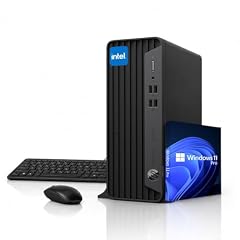
HP ProDesk SFF Business Desktop Computer
- CPU
- Intel Celeron G5905
- RAM
- 32 GB
- Storage
- 1000 GB
- OS
- Windows 11 Pro
$859.99 (as of 10/20/2026 04:06 PDT - Details)
The HP ProDesk SFF packs 32GB RAM and a 1TB SSD into a small form factor, powered by a modest dual-core Intel Celeron. It's not fast for heavy tasks, but it offers plenty of memory for basic office work and web apps at a low price point.
Pros
- 32GB RAM allows many open tabs and applications
- 1TB SSD for local file storage
- Small desktop footprint
- Windows 11 Pro preinstalled
Cons
- Celeron G5905 is a very basic dual-core CPU
- No discrete GPU, not for gaming
- DDR4 RAM, not DDR5
Good fit if
- Budget-conscious offices running spreadsheets and email
- Users who need Windows 11 Pro features without spending much
Skip if
- You run video editing or large data processing
- You expect a responsive experience with heavy multitasking
Verdict: A low-cost Windows 11 Pro desktop for light office duties.
13 Best budget desktop

Acer Aspire TC-1775 Desktop Computer Intel i5-14400
- CPU
- Intel Core i5-14400
- RAM
- 8 GB
- Storage
- 512 GB
- OS
- Windows 11 Pro
The Acer Aspire TC-1775 pairs an Intel Core i5-14400 with 8GB RAM and a 512GB SSD, offering a smooth Windows 11 experience for everyday tasks. Its 10-core processor is surprisingly capable for a budget tower.
Pros
- Intel Core i5-14400 with 10 cores (6P+4E)
- 512GB NVMe SSD for fast boot
- Windows 11 Pro included
- Compact tower fits under a desk
Cons
- Only 8GB RAM, may limit multitasking
- No discrete GPU for gaming
- No USB-C port mentioned
Good fit if
- Users upgrading from a very old PC who need basic speed
- Office workers using web apps and Microsoft 365
Skip if
- You run memory-heavy applications like Chrome with dozens of tabs
- You want to play even light games
Verdict: A solid, affordable desktop for Windows 11 basics.
14 Best ultra-slim
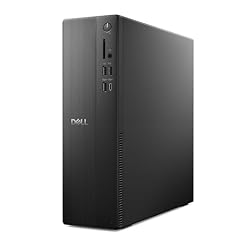
Dell Slim Desktop ECS1250
- CPU
- Intel Core i3-14100
- RAM
- 8 GB
- Storage
- 512 GB
- OS
- Windows 11 Home
$699.99 (as of 10/20/2026 17:06 PDT - Details)
The Dell Slim Desktop ECS1250 uses an Intel Core i3-14100, 8GB RAM, and a 512GB SSD in a very slim chassis. It's a quiet, low-power option for basic home and office tasks.
Pros
- Slim design saves desk space
- Intel Core i3-14100 with 4 performance cores
- 512GB SSD and 8GB DDR5 RAM
- WiFi 6 included
Cons
- 8GB RAM is minimal for Windows 11
- No discrete GPU
- Limited upgrade potential in slim case
Good fit if
- Home users needing a simple second PC
- Offices with limited desk space and light workloads
Skip if
- You multitask heavily or run virtual machines
- You need a full-size tower for future expansion
Verdict: A compact, no-fuss Windows 11 desktop for basic computing.
15 Best compact performance

ASUS V500 Mini Tower 15L Desktop
- CPU
- Intel Core i7-13620H
- RAM
- 16 GB
- Storage
- 512 GB
- OS
- Windows 11 Home
$629.99 (as of 10/20/2026 16:06 PDT - Details)
The ASUS V500 Mini Tower packs an Intel Core i7-13620H, 16GB RAM, and a 512GB SSD into a 15L chassis. It offers more CPU power than typical minis while keeping a small footprint.
Pros
- 10-core Intel Core i7-13620H (6P+4E)
- 16GB DDR5 RAM
- 512GB SSD
- Windows 11 Home included
Cons
- Mobile processor (H-series) not desktop-grade
- No discrete GPU for gaming
- Only 512GB storage
Good fit if
- Users who need fast CPU performance in a small case
- Content creators doing light photo editing or code compilation
Skip if
- You want a gaming-capable system
- You need large internal storage
Verdict: A potent mini tower for demanding office tasks.
Specs compared
| # | Desktop | CPU | GPU | GPU memory | RAM | Storage | OS |
|---|---|---|---|---|---|---|---|
| 1 | Skytech Gaming PC Desktop | AMD Ryzen 7 9850X3D | RTX 5080 | 16 GB | 32 GB | 2000 GB | Windows 11 |
| 2 | STORMCRAFT Phantom RTX 5080 Gaming PC Ryzen 7 9800X3D 32GB DDR5 2TB SSD | AMD Ryzen 7 9800X3D | RTX 5080 | 16 GB | 32 GB | 2000 GB | Windows 11 Home |
| 3 | CLX Set Gaming PC | Intel Core Ultra 7 270K | GeForce RTX 5080 | 16 GB | 64 GB | 2000 GB | Windows 11 Home |
| 4 | iBUYPOWER Element Gaming PC Desktop Computer AMD Ryzen 9 7900X CPU | AMD Ryzen 9 7900X | GeForce RTX 5070 | 12 GB | 32 GB | 1000 GB | Windows 11 Home |
| 5 | ASUS ROG G700 | Intel Core Ultra 7 265F | GeForce RTX 5070 | not stated | 32 GB | 1000 GB | Windows 11 Pro |
| 6 | msi Codex Z2 Gaming Desktop | not stated | GeForce RTX 5060 | not stated | 16 GB | 1000 GB | Windows 11 Home |
| 7 | CyberPowerPC Gamer Xtreme VR Gaming PC | Intel Core i5-13400F | GeForce RTX 5060 | 8 GB | 16 GB | 1000 GB | Windows 11 Home |
| 8 | Skytech Gaming Archangel 5 Gaming PC | AMD Ryzen 7 7700X | RTX 5070 | 12 GB | 32 GB | not stated | Windows 11 |
| 9 | Dell Tower Desktop | Intel Core Ultra 7 | not stated | not stated | 32 GB | 1000 GB | Windows 11 Home |
| 10 | HP Pavilion Desktop Tower Computer | Intel Core i7-11700F | not stated | not stated | 16 GB | 512 GB | Windows 11 Home |
| 11 | Lenovo ThinkCentre M70q Gen 6 | Intel Core Ultra 3 205T | not stated | not stated | 16 GB | 256 GB | Windows 11 Pro |
| 12 | HP ProDesk SFF Business Desktop Computer | Intel Celeron G5905 | not stated | not stated | 32 GB | 1000 GB | Windows 11 Pro |
| 13 | Acer Aspire TC-1775 Desktop Computer Intel i5-14400 | Intel Core i5-14400 | not stated | not stated | 8 GB | 512 GB | Windows 11 Pro |
| 14 | Dell Slim Desktop ECS1250 | Intel Core i3-14100 | not stated | not stated | 8 GB | 512 GB | Windows 11 Home |
| 15 | ASUS V500 Mini Tower 15L Desktop | Intel Core i7-13620H | not stated | not stated | 16 GB | 512 GB | Windows 11 Home |
How we chose these
We started with a pool of 390 Windows 11 desktops, narrowed to 15 after folding near-duplicates and favoring established brands with new-condition listings. We shortlisted by processor generation, discrete graphics, memory capacity, and storage, while covering gaming, productivity, and business needs. Every spec in our picks is taken directly from the seller's listing; where a detail like storage or GPU is missing, we say 'not stated by the seller.' Prices shown are live, read from the store listing at page load, and can move. We have not tested or handled any of these machines; our comparisons are based solely on specifications and the maker's own published information.
What to look for
Match the processor to your workload
Processors in this list range from entry-level dual-core models to 16-core flagships. For everyday web browsing and office apps, a Core i3 or Ryzen 5 is enough. For video editing, 3D rendering, or heavy multitasking, look for at least a 6-core chip with a high boost clock, like the Core i5-14400 or Ryzen 7 7700X. Intel Core Ultra chips also include a neural processing unit (NPU) for AI acceleration in supported apps, as noted on Intel's product page. If you plan to run many virtual machines or compile code, prioritize more cores over clock speed.
Graphics: what the GPU name tells you
Desktops with a dedicated GPU are essential for gaming and GPU-accelerated creation. The NVIDIA GeForce RTX 50-series, found on many picks, includes Blackwell architecture, DLSS 5 support, and dedicated ray tracing cores, according to NVIDIA. The model number indicates the tier: RTX 5060 handles 1080p and light 1440p, RTX 5070 handles 1440p and entry 4K, and RTX 5080 targets 4K max settings. VRAM also matters: 8GB is entry, 12GB is good for 1440p, and 16GB suits 4K texture-heavy games. For productivity PCs, integrated graphics like Intel UHD or Arc are sufficient for office and video playback.
Memory and storage: how much is enough
Windows 11 runs comfortably with 8GB of RAM, but that leaves little room for multitasking. We recommend 16GB for most users, especially those who keep many browser tabs open or use spreadsheets and presentation software simultaneously. For gaming, 16GB is the baseline; 32GB gives headroom for streaming and background apps. Creators should consider 32GB or 64GB. Storage: an SSD is non-negotiable for snappy performance. A 512GB drive suits light users, while 1TB or more is better for games and media. If a listing doesn't state the storage type, ask the seller or check the product details before purchase.
Windows 11 Home vs. Pro
Most consumer desktops ship with Windows 11 Home, while some business models come with Windows 11 Pro. Microsoft lists the key differences: Pro adds BitLocker device encryption, Hyper-V virtualization, and the ability to join an Active Directory or Azure AD domain. If you're a small business owner or IT professional, the extra management features justify Pro. Home users don't miss those features, and Home still receives the same security updates and core experience. Every pick in this list meets the minimum system requirements for Windows 11, and all ship with the OS preinstalled.
Form factor and upgrade potential
Desktops come in towers, mini towers, and small form factor (SFF) shapes. Full towers offer the most internal space for additional drives, graphics cards, and larger cooling. Mini towers and SFF cases save desk space but may limit GPU length and drive bays. Before buying, consider whether you'll upgrade RAM or storage later. Some compact desktops have two SODIMM slots and a single M.2 slot, making expansion difficult. If you plan to keep the PC for five years, a standard tower gives you more room to adapt. For office use, a small form factor like the Lenovo ThinkCentre M70q is fine and can be mounted on a monitor arm.
Check the seller's spec completeness
Some product listings omit key specifications like the exact GPU, storage type, or power supply. When a seller doesn't state a detail, we mark it in our picks. Always review the seller's full description and ask a question if anything is unclear. A missing spec may indicate a barebones configuration or a model with limited warranty. Stick to listings from recognized brands and check if the packaging includes all necessary cables and a keyboard or mouse. If a deal seems too good to be true, verify the processor model number and generation, as older hardware can still be sold as new.
Questions
Which Windows 11 desktop is the best overall?
In our comparison, the Skytech King 95 is the best overall because it pairs a top-tier Ryzen 7 9850X3D with an RTX 5080, 32GB RAM, and 2TB storage. This combination handles 4K gaming, streaming, and video editing without requiring immediate upgrades. It also includes Windows 11 Home, keeping costs down for a system at this performance level.
Can I upgrade the RAM or storage on these desktops?
Most desktop towers allow RAM and storage upgrades, but small form factor and slim models have limited space. For example, the MSI Codex Z2 has standard DIMM slots and an M.2 slot, making upgrades easy. The Lenovo ThinkCentre M70q has two SODIMM slots and one M.2 slot, so you can replace, but not add, a second drive. Always check the seller's manual or spec sheet for the exact slot layout before purchasing.
Do I need Windows 11 Pro or is Home enough?
Windows 11 Home is sufficient for most home users and gamers. It includes the standard security features, UI, and updates. Windows 11 Pro adds tools like Bitlocker, Hyper-V, and domain join. If you use your PC for a small business or need to connect to a company network, Pro is worth the extra cost. For personal tasks, Home is perfectly fine.
What does 'not stated by the seller' mean in the specs?
Some product listings don't provide a complete specification list. For example, the Skytech Archangel 5 does not state its storage capacity in the seller's data. We mark these gaps with 'not stated by the seller' instead of guessing. Before buying, check the product page for full details or contact the seller. When a spec is missing, it may be a sign that the unit has minimal configuration.
Which desktop is best for 4K gaming?
The STORMCRAFT Phantom with an RTX 5080 and Ryzen 7 9800X3D is our top pick for 4K gaming. The RTX 5080 provides 16GB of VRAM and supports DLSS 5, which NVIDIA says multiplies performance in supported games. Combined with a fast processor and 32GB RAM, it can handle 4K at high settings with ray tracing. If you prefer Intel, the CLX Set is another strong option.
Update history
- : First published.