
Best Windows 11 Home Desktops in 2026: 15 Picks Compared on Specs
The Dell Slim Desktop with an Intel Core Ultra 5 leads our list as a balanced choice for everyday home and office tasks. We selected 15 prebuilt desktops from a pool of over 150 Windows 11 Home machines, comparing each on processor, graphics, memory, and storage to help you match the right PC to your needs.
15 picks from 217 desktops that match this guide with a price we can quote today. Prices below are live, each shown with the time it was read.
Quick list
Which one is right for you?
- For home office and everyday tasks: A slim tower with a modern Intel Core Ultra processor and enough RAM for multitasking. See pick 1
- For 1080p gaming on a budget: A desktop with an RTX 5060 GPU and 16GB of RAM at a competitive spec level. See pick 8
- For high-end gaming and creative work: A Ryzen 7 and RTX 5070 Ti combination with 32GB of RAM and a 2TB SSD. See pick 13
All 15 picks in detail
1 Best overall for home and office

Dell Slim Desktop
- CPU
- Intel Core Ultra 5
- RAM
- 16 GB
- Storage
- 512 GB
- OS
- Windows 11 Home
$859.99 (as of 10/20/2026 17:06 PDT - Details)
This Dell Slim Desktop pairs a modern Intel Core Ultra 5 processor with 512GB of SSD storage in a compact tower. It is a straightforward, reliable choice for everyday computing, web browsing, and productivity software.
Pros
- Intel Core Ultra 5 processor, a current-generation chip with integrated AI acceleration
- Compact slim tower design saves desk space
- 512GB SSD provides fast boot and load times
- From Dell, a major manufacturer with standard warranty support
Cons
- No dedicated GPU; relies on integrated graphics
- Storage may fill quickly for users with large media libraries
- RAM capacity not stated by the seller
Good fit if
- Home users who need a dependable PC for browsing, email, and office apps
- Buyers who prefer a slim, space-saving tower
Skip if
- You plan to play modern 3D games or edit video
- You need more than 512GB of built-in storage
Verdict: A solid, no-fuss desktop for everyday home and office use.
2 Best for productivity with a modern CPU

ASUS S501MER Desktop PC
- CPU
- Intel Core i7-14700
- RAM
- 16 GB
- Storage
- 1000 GB
- OS
- Windows 11 Home
$895.00 (as of 10/20/2026 16:06 PDT - Details)
The ASUS S501MER includes a 14th-gen Intel Core i7-14700 processor and 1TB of SSD storage, making it a strong performer for multitasking and demanding office applications.
Pros
- Intel Core i7-14700 processor with 20 cores for heavy multitasking
- 1TB PCIe SSD provides ample fast storage
- 16GB of DDR5 RAM for smooth multitasking
- Wi-Fi 6E support for fast wireless connectivity
Cons
- No discrete GPU; relies on integrated graphics
- Not designed for gaming or GPU-accelerated creative work
Good fit if
- Professionals running demanding business applications
- Users who want a modern, fast processor and plenty of storage
Skip if
- You need a dedicated graphics card for gaming or 3D rendering
- You prefer a compact or slim tower design
Verdict: A powerful productivity desktop with a top-tier CPU and generous storage.
3 Best for memory-heavy multitasking
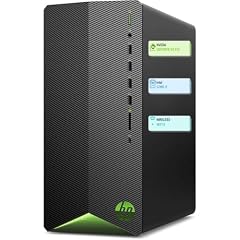
HP Pavilion Desktop Tower Computer
- CPU
- Intel Core i7-11700F
- RAM
- 16 GB
- Storage
- 512 GB
- OS
- Windows 11 Home
$949.98 (as of 10/20/2026 04:06 PDT - Details)
With 32GB of RAM and a 1TB SSD, the HP Pavilion Tower can handle dozens of browser tabs, large spreadsheets, and light creative work without slowdown.
Pros
- 32GB of RAM, double the amount found on many home desktops
- 1TB SSD offers plenty of storage for files and applications
- Intel Core i7-11700F processor for capable CPU performance
- Tower design allows for future upgrades
Cons
- Processor is from an older generation (11th-gen)
- No dedicated GPU; relies on integrated graphics
Good fit if
- Users who keep many applications open simultaneously
- Home offices that need a responsive PC for data-heavy tasks
Skip if
- You want the latest CPU architecture
- You need a discrete graphics card for gaming or rendering
Verdict: A RAM-rich desktop for heavy multitasking and everyday productivity.
4 Best budget-friendly slim desktop
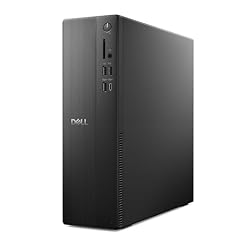
Dell Slim Desktop ECS1250
- CPU
- Intel Core i3-14100
- RAM
- 8 GB
- Storage
- 512 GB
- OS
- Windows 11 Home
$699.99 (as of 10/20/2026 17:06 PDT - Details)
The Dell Slim Desktop ECS1250 offers a modern Intel Core i3-14100 processor and 512GB SSD in a compact form factor at a lower spec level.
Pros
- Intel Core i3-14100 is a current-generation entry-level CPU
- 512GB SSD provides fast storage
- Slim design fits easily in small spaces
- Includes Wi-Fi 6 for modern wireless connectivity
Cons
- Only 8GB of RAM, which may limit heavy multitasking
- Integrated Intel UHD Graphics 730, not suitable for gaming
Good fit if
- Budget-conscious buyers needing a basic home PC
- Users with light computing needs like web browsing and document editing
Skip if
- You regularly run memory-intensive applications
- You want to play modern games or do video editing
Verdict: An affordable, compact desktop for basic home computing tasks.
5 Best compact tower for office use

ASUS V500 Mini Tower 15L Desktop
- CPU
- Intel Core i7-13620H
- RAM
- 16 GB
- Storage
- 512 GB
- OS
- Windows 11 Home
$629.99 (as of 10/20/2026 16:06 PDT - Details)
The ASUS V500 Mini Tower packs a 10-core Intel Core i7-13620H processor and 16GB of RAM into a 15-liter chassis, balancing performance and size for office environments.
Pros
- 10-core Intel Core i7-13620H processor for strong CPU performance
- 16GB of DDR5 RAM for smooth multitasking
- Compact 15-liter tower saves desk space
- 512GB SSD for fast boot and application loading
Cons
- No dedicated GPU; relies on integrated graphics
- Storage may be limited for users with large file collections
Good fit if
- Office workers who need a powerful but space-efficient desktop
- Users who value a small footprint without sacrificing CPU performance
Skip if
- You need a dedicated graphics card for gaming or creative work
- You require more than 512GB of storage out of the box
Verdict: A compact and capable tower for productivity-focused users.
6 Best all-in-one for home and light gaming

HP OmniDesk Desktop Computer PC
- CPU
- AMD Ryzen 7 8700G
- GPU
- Radeon 780M
- RAM
- 32 GB
- Storage
- 1000 GB
- OS
- Windows 11 Home
$1,055.98 (as of 10/20/2026 04:06 PDT - Details)
The HP OmniDesk combines an AMD Ryzen 7 8700G processor with Radeon 780M integrated graphics, offering enough GPU power for light gaming and media playback without a discrete card.
Pros
- AMD Ryzen 7 8700G with Radeon 780M graphics, capable of light 1080p gaming
- 32GB of DDR5 RAM for smooth multitasking
- 1TB NVMe SSD for fast storage
- Wi-Fi 6 and Bluetooth support
Cons
- Integrated graphics cannot match a discrete GPU for demanding games
- Not upgradeable to a dedicated GPU in the same way as a standard tower
Good fit if
- Home users who play casual or older games
- Families needing a single PC for work, school, and entertainment
Skip if
- You want to play the latest AAA titles at high settings
- You need a dedicated graphics card for professional 3D work
Verdict: A versatile home desktop with capable integrated graphics for light gaming.
7 Best entry-level gaming desktop

STGAubron Gaming PC Desktop
- CPU
- Intel Core i5-13400F
- GPU
- RTX 3050
- RAM
- 16 GB
- Storage
- 512 GB
- OS
- Windows 11 Home
- Dedicated graphics card
- Yes
$809.99 (as of 10/20/2026 06:06 PDT - Details)
The STGAubron Gaming PC includes an Intel Core i5-13400F and an RTX 3050 6GB GPU, making it one of the more affordable ways to get a dedicated graphics card for 1080p gaming.
Pros
- Dedicated RTX 3050 6GB GPU for entry-level 1080p gaming
- Intel Core i5-13400F is a capable 10-core processor
- 16GB of DDR4 RAM for gaming and multitasking
- 512GB SSD for fast game loading
Cons
- RTX 3050 is an entry-level GPU; not suited for high settings in modern games
- Only 512GB of storage, which may fill quickly with several games
- DDR4 RAM instead of the newer DDR5 standard
Good fit if
- Budget gamers who play esports titles and older games
- Users new to PC gaming who want a dedicated GPU at a lower price point
Skip if
- You want to play demanding AAA games at high settings
- You need a GPU with ray tracing performance for modern titles
Verdict: An affordable entry point into PC gaming with a dedicated GPU.
8 Best for 1080p gaming with RTX 5060

CyberPowerPC Gaming PC
- CPU
- Intel Core i5-14400F
- GPU
- GeForce RTX 5060
- GPU memory
- 8 GB
- RAM
- 16 GB
- Storage
- 1000 GB
- OS
- Windows 11 Home
- Dedicated graphics card
- Yes
$1,249.99 (as of 10/20/2026 17:05 PDT - Details)
This CyberPowerPC desktop pairs an Intel Core i5-14400F with an RTX 5060 8GB GPU, delivering solid 1080p gaming performance with access to NVIDIA DLSS and ray tracing.
Pros
- RTX 5060 8GB GPU supports DLSS and ray tracing for modern games
- Intel Core i5-14400F is a current-gen 10-core processor
- 16GB of DDR5 RAM for fast multitasking
- 1TB SSD provides ample storage for games
Cons
- 16GB of RAM is adequate but may limit heavy multitasking in the future
- No stated weight or dimensions for the case
Good fit if
- Gamers who want smooth 1080p performance in modern titles
- Users who want a current-generation GPU with AI upscaling features
Skip if
- You need 32GB or more RAM for content creation
- You want to game at 1440p or 4K with high settings
Verdict: A well-balanced 1080p gaming desktop with a modern GPU.
9 Best RTX 5060 gaming desktop with 1TB SSD

Skytech Gaming PC Desktop
- CPU
- Intel Core i5-14400F
- GPU
- RTX 5060
- GPU memory
- 8 GB
- RAM
- 16 GB
- Storage
- 1000 GB
- OS
- Windows 11
- Dedicated graphics card
- Yes
$1,249.99 (as of 10/20/2026 06:06 PDT - Details)
The Skytech Archangel 5 offers the same RTX 5060 GPU and a 1TB SSD as comparable models, with a 10-core Intel i5-14400F processor at a competitive spec level.
Pros
- RTX 5060 8GB GPU for 1080p gaming with DLSS support
- Intel Core i5-14400F processor with 10 cores
- 1TB SSD for game storage
- 16GB of DDR5 RAM
Cons
- 16GB of RAM may be limiting for heavy multitasking
- Case design and cooling not specified in the listing
Good fit if
- Gamers looking for a reliable RTX 5060 desktop at a balanced spec
- Users who want a 1TB SSD out of the box
Skip if
- You need more than 16GB of RAM for creative workloads
- You prefer a specific case size or brand
Verdict: A solid mid-range gaming PC with a modern GPU and ample storage.
10 Best AMD gaming desktop with RTX 5060 Ti

CyberPowerPC Gaming PC
- CPU
- AMD Ryzen 7 8700F
- GPU
- GeForce RTX 5060 Ti
- GPU memory
- 8 GB
- RAM
- 16 GB
- Storage
- 1000 GB
- OS
- Windows 11 Home
- Dedicated graphics card
- Yes
$1,499.00 (as of 10/20/2026 17:05 PDT - Details)
This CyberPowerPC combines an AMD Ryzen 7 8700F processor with an RTX 5060 Ti 8GB GPU, offering strong 1440p gaming potential and a balanced CPU-GPU pairing.
Pros
- RTX 5060 Ti 8GB GPU for higher frame rates at 1440p
- AMD Ryzen 7 8700F is a current-gen 8-core processor
- 1TB SSD for game storage
- 16GB of DDR5 RAM
Cons
- 16GB of RAM may be a bottleneck for some modern games
- No stated weight or dimensions
Good fit if
- Gamers who want to play at 1440p with a capable GPU
- Users who prefer an AMD CPU with a NVIDIA GPU combination
Skip if
- You need 32GB of RAM for content creation or heavy multitasking
- You want the highest-end GPU available in this list
Verdict: A strong AMD-based gaming desktop for 1440p gaming.
11 Best for video editing with 32GB RAM

msi Codex Z2 Gaming Desktop
- CPU
- AMD Ryzen 7 8700F
- GPU
- GeForce RTX 5070
- RAM
- 32 GB
- Storage
- 2000 GB
- OS
- Windows 11 Home
- Dedicated graphics card
- Yes
$1,999.00 (as of 10/20/2026 06:06 PDT - Details)
The MSI Codex Z2 features an AMD Ryzen 7 8700F, RTX 5070 GPU, 32GB of DDR5 RAM, and a 2TB SSD, making it well-suited for video editing and content creation.
Pros
- 32GB of DDR5 RAM for demanding creative applications
- RTX 5070 GPU with 12GB VRAM for GPU-accelerated rendering
- 2TB SSD provides generous storage for projects and media
- AMD Ryzen 7 8700F processor for fast CPU performance
Cons
- No stated weight or dimensions
- Price point may be high for users who only game
Good fit if
- Video editors and content creators who need ample RAM and storage
- Gamers who also do streaming or recording
Skip if
- You only need a desktop for basic office tasks
- Your budget is limited to entry-level configurations
Verdict: A well-equipped desktop for creative work and high-end gaming.
12 Best for high-refresh-rate gaming

iBUYPOWER Element Gaming PC Desktop Computer AMD Ryzen 9 7900X CPU
- CPU
- AMD Ryzen 9 7900X
- GPU
- GeForce RTX 5070
- GPU memory
- 12 GB
- RAM
- 32 GB
- Storage
- 1000 GB
- OS
- Windows 11 Home
- Dedicated graphics card
- Yes
$2,299.99 (as of 10/20/2026 04:05 PDT - Details)
The iBUYPOWER Element pairs an AMD Ryzen 9 7900X with an RTX 5070 12GB GPU and 32GB of DDR5 RAM, delivering high frame rates for competitive and AAA gaming.
Pros
- RTX 5070 12GB GPU for high-refresh-rate 1440p gaming
- AMD Ryzen 9 7900X is a 12-core processor for CPU-intensive tasks
- 32GB of DDR5 RAM for smooth multitasking
- 1TB SSD for fast game loading
Cons
- No stated weight or dimensions
- Storage may be limiting for users with large game libraries
Good fit if
- Competitive gamers who want high frame rates
- Users who play CPU-intensive simulation and strategy games
Skip if
- You need more than 1TB of storage out of the box
- Your budget is limited to lower-tier configurations
Verdict: A high-performance gaming desktop built for speed.
13 Best for 1440p and 4K gaming

Skytech Gaming PC Desktop
- CPU
- AMD Ryzen 7 9800X3D
- GPU
- RTX 5070 Ti
- GPU memory
- 16 GB
- RAM
- 32 GB
- Storage
- 2000 GB
- OS
- Windows 11
- Dedicated graphics card
- Yes
$2,899.99 (as of 10/20/2026 06:06 PDT - Details)
The Skytech King 95 combines a Ryzen 7 9800X3D processor with an RTX 5070 Ti 16GB GPU, 32GB of RAM, and a 2TB SSD, making it a top choice for high-resolution gaming.
Pros
- RTX 5070 Ti 16GB GPU for 1440p and 4K gaming
- AMD Ryzen 7 9800X3D processor with 3D V-Cache for gaming performance
- 32GB of DDR5 RAM for heavy multitasking
- 2TB SSD for a large game library
Cons
- High price point
- No stated weight or dimensions
Good fit if
- Enthusiast gamers who want to play at 1440p or 4K
- Users who want a large SSD and plenty of RAM for future-proofing
Skip if
- You only game at 1080p
- Your budget is limited to mid-range configurations
Verdict: A premium gaming desktop for high-resolution and high-fidelity gaming.
14 Best for ultimate gaming and AI workloads

STORMCRAFT Phantom RTX 5080 Gaming PC Ryzen 7 9800X3D 32GB DDR5 2TB SSD
- CPU
- AMD Ryzen 7 9800X3D
- GPU
- RTX 5080
- GPU memory
- 16 GB
- RAM
- 32 GB
- Storage
- 2000 GB
- OS
- Windows 11 Home
- Dedicated graphics card
- Yes
$3,399.99 (as of 10/20/2026 06:06 PDT - Details)
The STORMCRAFT Phantom features an RTX 5080 16GB GPU and a Ryzen 7 9800X3D processor, making it one of the most powerful desktops in this list for gaming and AI tasks.
Pros
- RTX 5080 16GB GPU for top-tier gaming and AI acceleration
- AMD Ryzen 7 9800X3D processor for excellent gaming performance
- 32GB of DDR5 RAM for demanding applications
- 2TB SSD for ample storage
Cons
- Very high price point
- No stated weight or dimensions
Good fit if
- Enthusiasts who want the latest GPU technology
- Users who run AI models or render 3D content at a professional level
Skip if
- You only need a desktop for everyday tasks
- Your budget does not extend to high-end hardware
Verdict: A flagship desktop for uncompromising gaming and AI performance.
15 Best workstation-grade desktop
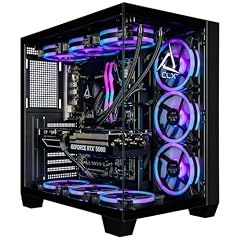
CLX Set Gaming PC
- CPU
- Intel Core Ultra 7 270K
- GPU
- GeForce RTX 5080
- GPU memory
- 16 GB
- RAM
- 64 GB
- Storage
- 2000 GB
- OS
- Windows 11 Home
- Dedicated graphics card
- Yes
$4,299.99 (as of 10/20/2026 16:08 PDT - Details)
The CLX Set Gaming PC packs an Intel Core Ultra 7 270K, RTX 5080, 64GB of DDR5 RAM, and a 2TB SSD, offering workstation-level performance for demanding creative and professional workloads.
Pros
- 64GB of DDR5 RAM, the most in this list
- RTX 5080 16GB GPU for GPU-intensive tasks
- Intel Core Ultra 7 270K processor with AI acceleration
- 2TB NVMe SSD for fast storage
Cons
- Highest price point in this selection
- Overkill for users who only need a home or office PC
Good fit if
- Professionals doing 3D rendering, video production, or AI development
- Users who want maximum RAM and a top-tier GPU for future-proofing
Skip if
- You only need a desktop for gaming or basic tasks
- Your budget is limited
Verdict: A powerhouse desktop for the most demanding professional and creative workflows.
Specs compared
| # | Desktop | CPU | GPU | GPU memory | RAM | Storage | OS |
|---|---|---|---|---|---|---|---|
| 1 | Dell Slim Desktop | Intel Core Ultra 5 | not stated | not stated | 16 GB | 512 GB | Windows 11 Home |
| 2 | ASUS S501MER Desktop PC | Intel Core i7-14700 | not stated | not stated | 16 GB | 1000 GB | Windows 11 Home |
| 3 | HP Pavilion Desktop Tower Computer | Intel Core i7-11700F | not stated | not stated | 16 GB | 512 GB | Windows 11 Home |
| 4 | Dell Slim Desktop ECS1250 | Intel Core i3-14100 | not stated | not stated | 8 GB | 512 GB | Windows 11 Home |
| 5 | ASUS V500 Mini Tower 15L Desktop | Intel Core i7-13620H | not stated | not stated | 16 GB | 512 GB | Windows 11 Home |
| 6 | HP OmniDesk Desktop Computer PC | AMD Ryzen 7 8700G | Radeon 780M | not stated | 32 GB | 1000 GB | Windows 11 Home |
| 7 | STGAubron Gaming PC Desktop | Intel Core i5-13400F | RTX 3050 | not stated | 16 GB | 512 GB | Windows 11 Home |
| 8 | CyberPowerPC Gaming PC | Intel Core i5-14400F | GeForce RTX 5060 | 8 GB | 16 GB | 1000 GB | Windows 11 Home |
| 9 | Skytech Gaming PC Desktop | Intel Core i5-14400F | RTX 5060 | 8 GB | 16 GB | 1000 GB | Windows 11 |
| 10 | CyberPowerPC Gaming PC | AMD Ryzen 7 8700F | GeForce RTX 5060 Ti | 8 GB | 16 GB | 1000 GB | Windows 11 Home |
| 11 | msi Codex Z2 Gaming Desktop | AMD Ryzen 7 8700F | GeForce RTX 5070 | not stated | 32 GB | 2000 GB | Windows 11 Home |
| 12 | iBUYPOWER Element Gaming PC Desktop Computer AMD Ryzen 9 7900X CPU | AMD Ryzen 9 7900X | GeForce RTX 5070 | 12 GB | 32 GB | 1000 GB | Windows 11 Home |
| 13 | Skytech Gaming PC Desktop | AMD Ryzen 7 9800X3D | RTX 5070 Ti | 16 GB | 32 GB | 2000 GB | Windows 11 |
| 14 | STORMCRAFT Phantom RTX 5080 Gaming PC Ryzen 7 9800X3D 32GB DDR5 2TB SSD | AMD Ryzen 7 9800X3D | RTX 5080 | 16 GB | 32 GB | 2000 GB | Windows 11 Home |
| 15 | CLX Set Gaming PC | Intel Core Ultra 7 270K | GeForce RTX 5080 | 16 GB | 64 GB | 2000 GB | Windows 11 Home |
How we chose these
From a pool of more than 150 desktops sold with Windows 11 Home, we selected 15 that cover a range of use cases: home office, gaming, content creation, and general family computing. Each pick was evaluated on its stated specifications, including CPU generation, GPU tier, RAM capacity, and storage type and size. Prices shown on the page are live and read from the store listing at the time of publication. No unit was tested or reviewed by our team. We prioritized machines from established brands and avoided near-duplicate configurations.
What to look for
Processor: Intel vs. AMD for Windows 11 Home
Windows 11 Home runs on both Intel and AMD processors. Intel Core Ultra processors include a neural processing unit (NPU) for AI acceleration, which can benefit features like Windows Studio Effects and certain creative apps. AMD Ryzen processors, particularly the 7000 and 9000 series, offer strong multi-core performance. For general home use, a current-generation Intel Core i5 or AMD Ryzen 5 is sufficient. For gaming or content creation, consider a Core i7 or Ryzen 7 or higher.
Graphics: integrated vs. dedicated GPU
Desktops with Windows 11 Home may have integrated graphics built into the processor or a dedicated graphics card. Integrated graphics (such as Intel UHD Graphics or AMD Radeon 780M) are fine for web browsing, office work, and video playback. A dedicated GPU, such as an NVIDIA GeForce RTX 50-series or AMD Radeon RX 9000-series, is necessary for gaming, 3D modeling, and GPU-accelerated video editing. The RTX 5060 and RTX 5070 are common mid-range options for 1080p and 1440p gaming.
Memory: how much RAM do you need?
Windows 11 Home requires a minimum of 4GB of RAM, but 8GB is the practical minimum for basic multitasking. For smooth everyday use, 16GB is recommended. Gamers and content creators should consider 32GB, especially for modern games and video editing. Some desktops in this list offer 64GB for heavy professional workloads. RAM type also matters: DDR5 is faster and more power-efficient than DDR4, and most current-generation desktops use DDR5.
Storage: SSD vs. HDD and capacity
Windows 11 Home requires at least 64GB of storage, but a 256GB or 512GB SSD is the standard for a responsive system. SSDs (NVMe or SATA) are much faster than traditional hard drives for booting and loading applications. For gaming and media, 1TB or 2TB SSDs are common in this list. Some desktops may include a secondary HDD for bulk storage, but check the specifications as not all listings state this.
Form factor: tower vs. slim vs. all-in-one
Desktops with Windows 11 Home come in several form factors. Traditional towers offer the most upgradeability and cooling. Slim desktops save desk space but may limit GPU upgrades. All-in-one PCs integrate the computer into the monitor, saving space but making upgrades difficult. Choose based on your available space and whether you plan to add or replace components later.
Windows 11 Home vs. Pro: what is the difference?
Windows 11 Home is designed for personal and family use. It includes features like Windows Hello, Widgets, and Auto HDR. Windows 11 Pro adds business-oriented features such as BitLocker device encryption, Remote Desktop, and Hyper-V virtualization. For most home users, Windows 11 Home is sufficient. If you need advanced security or remote work features, consider a desktop with Windows 11 Pro.
Questions
What are the minimum system requirements for Windows 11 Home?
Windows 11 Home requires a 1GHz or faster processor with 2 or more cores, 4GB of RAM, 64GB of storage, a DirectX 12 compatible graphics card, UEFI with Secure Boot, and TPM 2.0. A Microsoft account and internet connection are needed for initial setup on Windows 11 Home.
Can I upgrade a Windows 11 Home desktop to Windows 11 Pro?
Yes, you can upgrade from Windows 11 Home to Windows 11 Pro through the Microsoft Store. The upgrade requires a valid Windows 11 Pro license. Some features, such as BitLocker and Remote Desktop, will become available after the upgrade.
Do all Windows 11 Home desktops support Copilot+ AI features?
No. Copilot+ PCs require a processor with an NPU capable of 40 TOPS or more, at least 16GB of RAM, and a 256GB SSD. Standard Windows 11 Home desktops without these specifications do not support Copilot+ features like improved Windows Search and Click to Do.
Is 8GB of RAM enough for Windows 11 Home?
8GB of RAM meets the minimum recommendation for Windows 11 Home and is enough for basic tasks like web browsing, email, and office applications. For multitasking, gaming, or creative work, 16GB or 32GB is recommended for a smoother experience.
Can I add a dedicated graphics card to a slim desktop later?
It depends on the model. Many slim desktops have limited space and power supply capacity, making it difficult to add a full-size dedicated GPU. Some may accept low-profile graphics cards, but check the desktop's specifications and form factor before purchasing if you plan to upgrade.
Update history
- : First published.